
Christopher Nolan's Interstellar gave us some of the most iconic images in modern science fiction—the TARS robot, the Endurance spacecraft, the Gargantua black hole, and the simple but powerful symbol of a lone spaceship drifting past Saturn.
These images aren't just beautiful. They're also perfect for Perler beads.
With a free pattern and a handful of beads, you can bring the wonder of Interstellar into your home—as a magnet, a keychain, a pin, or a small display piece.

Why Interstellar Works as Pixel Art
The aesthetic of Interstellar is clean, geometric, and high-contrast. Spaceships have sharp angles. Robots are literal rectangles. The black hole is a circle of fire against pure darkness.
That's exactly the kind of image that translates well into fuse beads. No messy gradients. No tiny facial features. Just bold shapes, dramatic lighting, and instantly recognizable silhouettes.
Plus, Interstellar has a passionate fanbase that loves subtle, "iykyk" (if you know you know) merchandise. A small TARS keychain or a Cooper Station patch says more than a logo T-shirt ever could.
5 Interstellar Perler Bead Ideas to Try
Here are five designs that work beautifully on a standard pegboard.
1. TARS Robot
The most beloved character in the film. TARS is a giant monolith made of four rectangular segments. In pixel form, he's just a stack of gray and white rectangles with a tiny green or blue screen.
- Difficulty: Easy
- Best for: Keychain or magnet
- Colors needed: Dark gray, light gray, white, and one bright dot for the screen
Add a small "Humor: 75%" text if you're using a larger pegboard.
2. The Endurance Spacecraft
The Endurance is a ring of 12 modules connected by long struts, with a central docking port. In pixel art, it becomes a circle with small squares around the edge.
- Difficulty: Medium (requires careful symmetry)
- Best for: Ornament or wall art
- Colors needed: White, light gray, dark gray, and a tiny bit of blue/red for engine glow
3. Gargantua (The Black Hole)
The black hole is a circle of intense orange, red, and white light swirling around a black center. Pixel art simplifies it into concentric rings and a few flame-like accents.
- Difficulty: Easy to medium
- Best for: Magnet or pin
- Colors needed: Black, dark orange, bright orange, yellow, white
Make the center black, then add rings of color getting brighter as they go outward.
4. The Watch (Murph's Room)
The second hand ticking on the bookshelf watch is one of the film's most emotional symbols. A small square watch face with hands pointing at "STAY" in Morse code.
- Difficulty: Medium (small details)
- Best for: Pin or miniature display
- Colors needed: Gold/yellow, white, black, and a tiny bit of brown
This one works best on a larger pegboard so the Morse code dots are readable.
5. Cooper's Ranger (Landing Ship)
The boxy Ranger ship that lands on Miller's planet and later docks with the Endurance. It's a simple rectangle with angled wings and a cockpit window.
- Difficulty: Easy
- Best for: Keychain or magnet
- Colors needed: White, light gray, dark gray, blue for the window
How to Get a Custom Interstellar Perler Pattern (For Free)
Want a different scene? Maybe the cornfield chase, the tesseract bookshelves, or a specific quote frame?
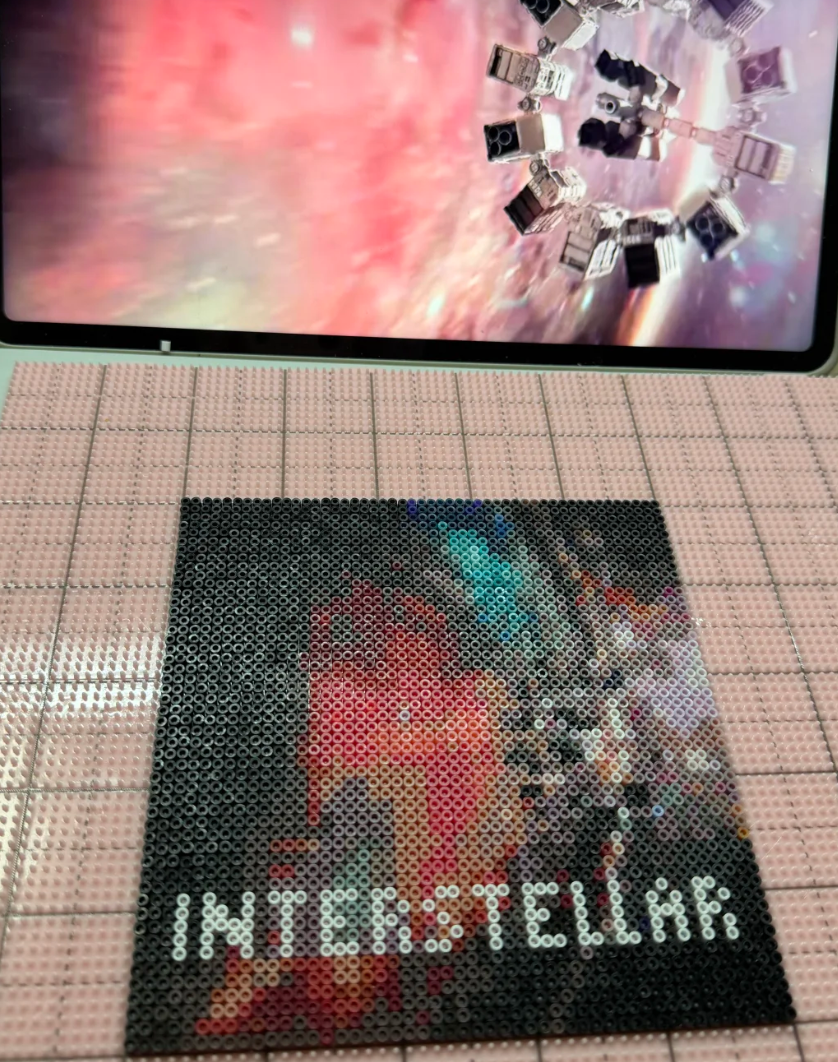
You can generate a free pattern from any Interstellar image – a screenshot, a poster, or even a photo of your own model ship.
Here's how it works:
- Go to our free pattern generator (link below)
- Upload your Interstellar image (close-ups of ships or simple symbols work best)
- Adjust the size and number of colors
- Download your printable PDF pattern instantly
The tool converts your image into a pixel grid with exact bead colors mapped out. No guesswork.
What Can You Make With an Interstellar Perler Pattern?
- Keychain – Backpack, keys, or bag charm
- Magnet – Fridge, locker, or cubicle
- Pin / Brooch – Denim jacket, hat, or space-themed bag
- Ornament – Year-round display or gift
- Mini stand – Desk or shelf next to a model rocket
Most designs are small enough to fit on a standard 29x29 pegboard.
Get Everything You Need – Two Ways
Once your free pattern is ready, you have two choices:
Option 1: DIY Material Kit (You Make It)
Order an Interstellar Perler Bead Kit that includes:
- All the Perler beads you need – pre-sorted by color to match your pattern
- A small pegboard (fits keychain or magnet-sized designs)
- Ironing paper for fusing
- Your choice of base – keychain ring, magnet strip, or pin back
- Glue for attaching
You supply the free pattern and your own iron. Follow the pattern, place the beads, iron, glue. About 20–30 minutes.
Perfect for: Fans who want to make it themselves.
Option 2: Finished Piece (Ready to Display or Wear)
Don't want to DIY? Order a finished Interstellar Perler creation made from your custom pattern.
You send your pattern (generated free from our tool), and we:
- Fuse the beads smoothly on both sides
- Attach it to your choice of base (keychain, magnet, pin, or stand)
- Ship it ready to use
Open the package and your space art is ready.
Perfect for: Anyone who wants the Interstellar look without any crafting time.
Tips for Making Great Interstellar Perler Art
Use High-Contrast Images
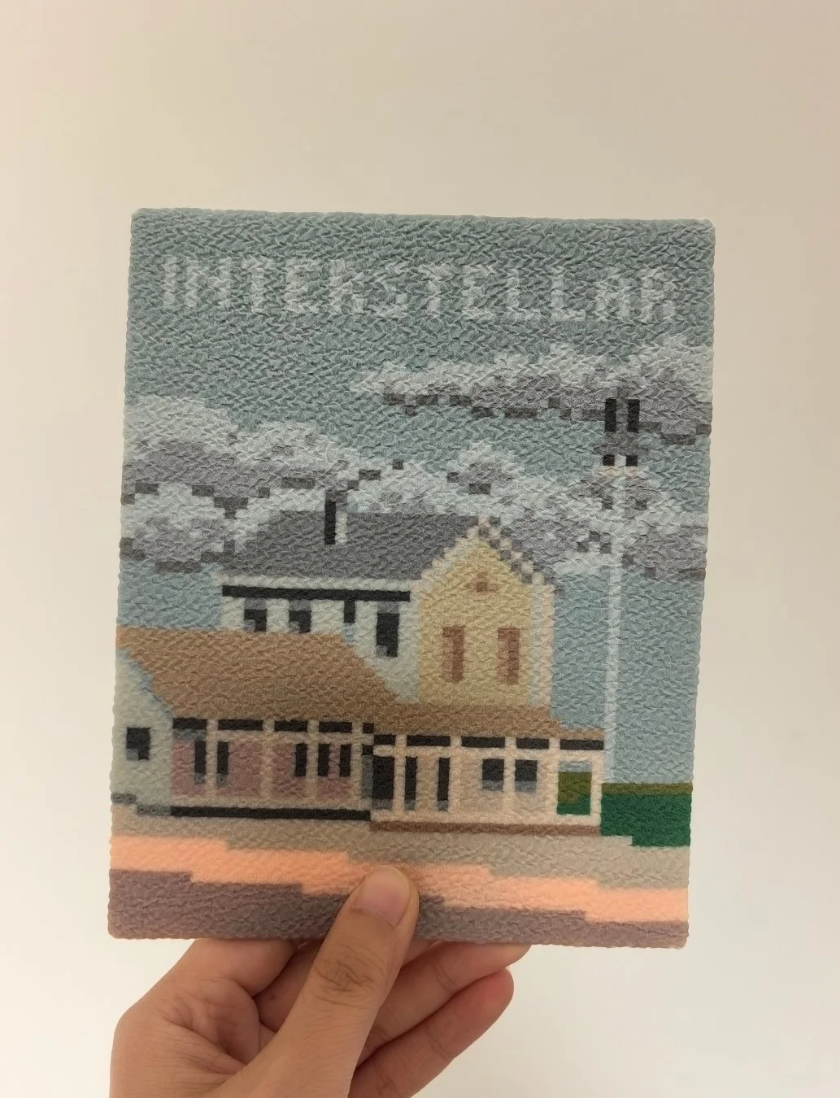
A dark ship against a bright nebula? Perfect. A gray ship against a gray background? Hard to read. Pick images where the main subject stands out.
Keep Quotes Short
If you want to add text ("STAY", "LOVE", "DON'T GO GENTLE"), keep it to 3–5 letters per line. Pixel text takes up more space than you think.
Black Space Backgrounds Work Well
A black or dark blue background makes your spaceship or TARS pop. Just add a few white dots for stars.
How to Fuse and Finish Your Interstellar Perler Piece
If you're using the DIY kit:
- Place beads on the pegboard following your pattern
- Cover with ironing paper
- Iron on medium heat using small circular motions (about 10–15 seconds per side)
- Let cool completely
- Glue onto your keychain ring, magnet strip, or pin back
- Let dry for 12–24 hours
Pro tip: For a "floating in space" effect, glue your finished piece onto a small black felt circle before attaching the magnet or pin.
Display Ideas for Your Interstellar Perler Art
- Create a set – TARS, the Endurance, and Gargantua together
- Gift a TARS keychain to a fellow fan
- Add to your desk next to a model rocket or space poster
- Make a mini Cooper Station patch as a pin
- Pair with a quote – put "STAY" on one magnet and the watch on another
The Deeper Meaning (For True Fans)
What makes Interstellar special isn't just the visuals. It's the themes: love across dimensions, time as a physical place, and the idea that humanity's greatest achievement is reaching back to save itself.
A small Perler bead TARS or watch isn't just a craft project. It's a reminder that "we've always defined ourselves by the ability to overcome the impossible."
And that's worth keeping on your fridge.
Ready to Create Your Own Interstellar Pixel Art?
Step 1: Generate your free pattern
Step 2: Choose how you want to create it:
- DIY Material Kit – all beads + supplies (you make it)
- Finished Piece – we make it for you
No design skills needed. No expensive software. Just your favorite space movie and a few minutes.
Have a specific scene in mind? The tesseract? The docking scene? Generate a free pattern first and see how it translates. Even a simple silhouette can become a beautiful little piece of art.